Last updated July 1, 2026 · 5 min
Putting Your Second Brain to Work (Part 2)
The full loop once the vault exists: ingest a real codebase (we use sloop), query it for cited answers, and lint it to stay clean.
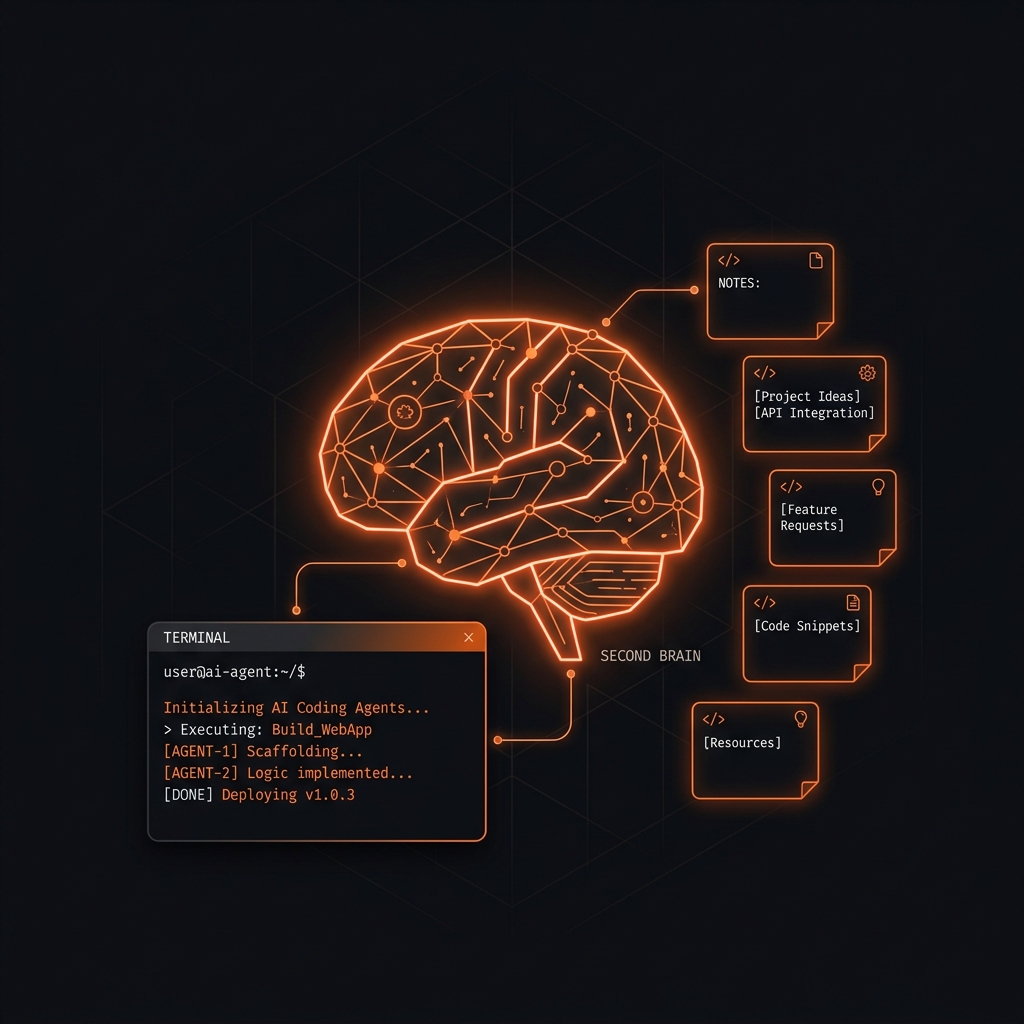
In Part 1 we bootstrapped an empty vault: the three layers, an index.md, a log.md, and a CLAUDE.md rulebook. A clean skeleton with nothing in it.
Now for the part that makes it a brain: putting real content in and then using it. We will point Claude at sloop, an open-source tool, turn its docs into a durable mental model, then do the two things you actually do with a vault day to day: query it, and keep it clean.
This is where the LLM Wiki pattern differs from classic RAG. RAG re-reads your raw documents on every question; it does not accumulate anything, it just re-searches. An LLM Wiki does the reading once and writes the result down as durable, cross-linked pages you can build on. The pages this ingest produced for me live at github.com/stroops/stroops-wiki.
Step 1: Point Claude at the codebase
Part 1's scaffold already gave us an empty wiki/projects/ folder for exactly this. Since sloop is a whole project, the ingest will create its hub there and hang everything else off it. The key instruction in the prompt is summarize, do not mirror: we want the durable knowledge, not a copy of the source tree.
"Ingest the
sloopproject from its repo at~/code/sloop(github.com/stroops/sloop). Read itsREADME, thedocs/folder, and any design notes. Create a hub page forsloopunderwiki/projects/, then file the durable knowledge: what it is, its architecture, and the key concepts, as source summaries plus concept and entity pages, all taggedproject: sloop, wikilinked in both directions, and attached to the hub. Do not mirror the source code; treat the repo as read-on-demand and just link to the relevant paths. Updateindex.mdandlog.md."
The project: sloop tag on every page is what lets Obsidian's Dataview (or a later query) pull up the whole project at once, and the hub becomes its front door.
Step 2: Watch the fan-out
From one repo, Claude runs a fixed checklist and produces a set of linked pages:
- Source summaries in
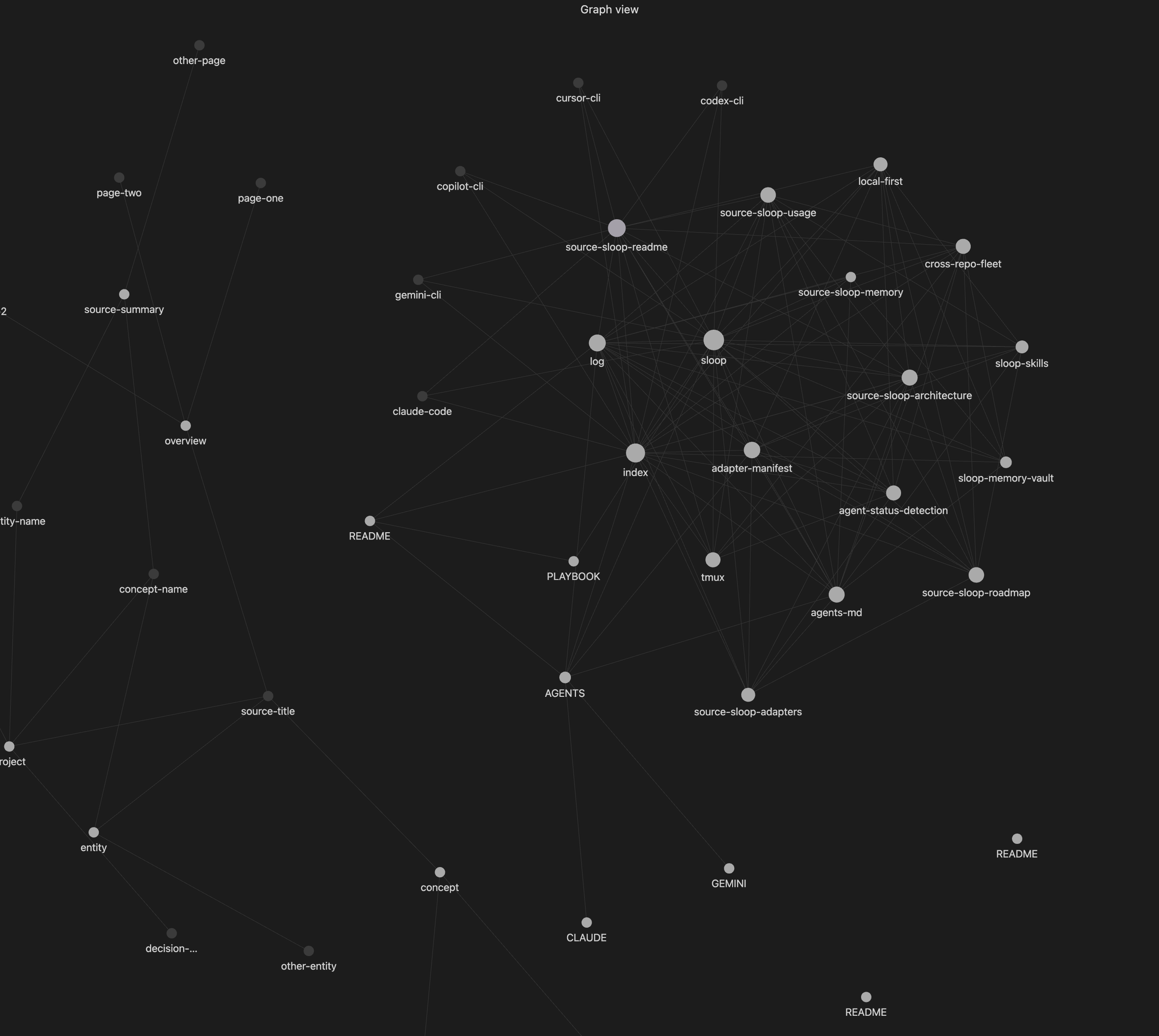
wiki/sources/, one per doc it read (source-sloop-readme,source-sloop-architecture, and so on): the distilled version you will actually reread. - Concept pages for the big ideas (
cross-repo-fleet,adapter-manifest,local-first), and entity pages for tools it depends on (tmux). - Wikilinks both ways: the summaries link to the concepts, the concepts link back, and everything links to the
sloophub. - New entries added to
index.md(the map) and a fresh line inlog.md(the timeline).
wiki/
├── projects/
│   └── sloop.md                     # ← the hub, front door for the project
├── sources/
│   ├── source-sloop-readme.md       # ← summaries, one per doc
│   └── source-sloop-architecture.md
├── concepts/
│   ├── cross-repo-fleet.md          # ← the big ideas, cross-linked
│   ├── adapter-manifest.md
│   └── local-first.md
└── entities/
    └── tmux.md                      # ← a dependency it relies on
For sloop, that single pass produced six source summaries, a handful of concept pages, an entity page for tmux, and the hub, all cross-linked. That is a lot of linked files from one command, and it is exactly the bookkeeping most people skip and then regret. The honest caveat: none of it stays current on its own. It stays useful only as long as you keep running the loop when the code changes.
Step 3: Verify in Obsidian
Open the vault and switch to Graph View. Before this ingest it was a scatter of disconnected dots. Now you will see a constellation: the sloop hub in the middle, source summaries and concepts radiating out, edges everywhere.
Then open index.md and log.md. The index should list the new sloop pages under the right headings, and the log should have a fresh ## [YYYY-MM-DD] ingest | sloop line. If those two files updated, the loop worked, and a future session with zero memory of this one can re-orient from them quickly.
Step 4: Query your wiki
Now the payoff. Ask a question, ideally one that spans several pages:
"What do we know about how sloop delivers the same context to every AI tool?"
Claude reads index.md, pulls the relevant pages, and synthesizes an answer with [[wikilink]] citations back to specific sources ([[agents-md]], [[adapter-manifest]]). It answers from what you actually ingested and points you at pages you can open and check, so you are not trusting a black box. If the answer is substantial, tell it to file the answer as a new overview page, so your explorations compound too.
Step 5: Keep it healthy
Every so often, run a health check:
"Lint the wiki"
Claude scans for contradictions between pages, orphan pages with no links, stale claims that newer sources have superseded, and missing cross-references. It reports what it finds, organized by severity, and offers to fix each issue. You still decide what to accept.
Why summarize instead of mirror
A codebase changes on every commit; a copy of it in your wiki would be stale by lunch. So split by rate of change:
- The code is the source of truth for how it works right now. Read it on demand. Never copy it in.
- The wiki holds what changes per decision, not per commit: the architecture, the key concepts, the reasoning behind them.
- Re-ingest on drift, not on a schedule. When a real decision changes, update the affected page and move on.
The same loop works for non-code sources too. For an article or a doc on the web, capture it into raw/ with the Obsidian Web Clipper, then run the same ingest prompt on the saved file.
Why this compounds
The payoff is not the first ingest. It is the fifth. When you later ingest another project that also leans on tmux or the agents-md idea, Claude does not create a duplicate; it finds the existing page, extends it, and links the new source in. Shared concepts get richer every time a related source arrives, and the graph tightens. That compounding is the real reason to bother, and it only happens if you keep feeding and pruning the vault yourself.
That is the whole loop: scaffold the structure (Part 1), then ingest, query, and lint (this part). None of it runs itself, but the bookkeeping that normally kills a knowledge base is handled, so the part left for you is the part worth doing: deciding what to keep and checking that it is right.